Start here
Your first adventure,
step by step.
You choose what your character does. Your AI describes the world and plays the people you meet. Lorewend handles the dice, rules and saved campaign.
No role-playing experience needed. You can play in your own language. Six play free; The Long Road and The Arcanum require Premium. Your AI app needs a compatible connection.
Connect your AI
Connect lorewend to your AI in four steps.
Choose your AI app
Your AI app needs to support a custom connection to Lorewend. Choose it below for the matching setup path. Availability depends on your account and workspace.
Claude
Open Customize → Connectors, then use the plus button to add a custom connector. Name it Lorewend and paste the address in step 2. Connect and complete the sign-in prompt.
In a new conversation, use the chat’s plus menu to enable Lorewend under Connectors. If you use a managed workspace, its owner may need to add the connector first.
ChatGPT
For the web app, open Settings → Security and login and enable Developer mode if your account allows it. Open Plugins, choose the plus button, and create a connection named Lorewend using the address in step 2. Review the tools and complete sign-in.
In the desktop app, use Settings → MCP servers → Add server. Choose Streamable HTTP, paste the address, save and restart as prompted, then choose Authenticate.
Gemini Spark
Custom connections currently require Gemini Spark access, a personal Google account, age 18 or over, US availability and Keep Activity enabled. They are currently available in English.
On the Gemini website, open Settings & help → Connected Apps. Under Custom apps for Spark, add the address in step 2 and follow the prompts. Select Lorewend with @ when you want Gemini to use it.
Using another app? Check that it supports remote MCP connections with sign-in. A chat subscription alone does not guarantee this feature. Your AI app’s limits and charges remain separate from Lorewend.
Add Lorewend’s address
Copy the full address below into the connection settings. You add it once for your Lorewend account, rather than once per campaign.
Sign in to your Lorewend account
When the connection asks you to sign in, choose Google or Discord. Use the same account on this portal so your characters and campaigns appear together.
Enable Lorewend and begin
Make sure Lorewend is enabled in the conversation. Review any tool permissions your AI app requests; their controls differ between apps. Then send:
Start a new game with Lorewend.The gamemaster will help you choose a world and create a character. Or build your character here, then start its campaign from your dashboard.
Your first game
Make a character, then just play.
-
01
Make a character
Two ways in, your call. Build it yourself on the site: the character builder lays out a race (and an optional lineage like Drow or Wood for an Elf), a classa culture (Skarn, Averran, Velessi or Korvath) and a rolea lineage (Baseline, Chromed, Ghosted or Reclaimed) and a rolea heritage (Commonborn, Wretched, Highborn or Foreigner) and a rolea species (Human, Voidborn, Saurian or Korrin) and a rolea people (thirteen, of men, elves, dwarves and the small folk) and a rolea people (eight, Circleborn to Werecat) and an Art (one of six, each taught in two Teachings)a lineage (four survivor stocks) and a role (ten, Yeoman to Houndmaster), and a background with the numbers behind each, and validates every pick live. Saving puts the finished hero in your roster on the dashboard; Start a campaign on its card opens the game. Or let the gamemaster do it in chat: tell it you are ready and it walks you through the same choices, then hands you a woven backstory to begin from. Either way the engine derives your HP, AC, saves and spell slotsgeargearkitTide slotsroad-kitWellkit from what you choose — so they genuinely matter. Not feeling your character? You can remake them any time outside combat — your hero retires into the story (the saga keeps them) and a fresh one steps in. -
02
Speak as your character
From here you simply type what you do, in role — “I push open the tavern door and look for the smith.I cut through the bazaar crowd to find the fence who deals in relics.I push into the noodle bar and look for my fixer.I step into the lamplit tavern and ask who else has gone missing.I step off the docking ramp and look for the cantina.I step into the crossroads inn and ask after the road north.I cross the lantern-lit commons and ask where my house sits.I come through the open gate and read the burial-bank before I touch anything.” No commands needed. The gamemaster narrates a world that remembers what you did; the engine quietly rolls the dice, spends the slots, tracks the goldprices the sorcery in Doom, tracks the silvermeters the Strain, tracks the credsmeters the Dread, tracks the poundsspends the Tide, tracks the creditsprices the shortcut in Shadow, counts the penniesdraws down the Well, counts the chronsmarks the Numb, tracks the Seed and runs every combat round. Prose is canon, math is law. -
03
Watch it unfold
Open the companion viewer (a link on your dashboard, one per campaign) for a live map, character sheet and journal that update as you play. (/do and /rule are optional lanes to separate an in-character action from a rules question — you rarely need them.) Playing with friends? Every co-player gets their own companion screen — they submit their turn, the host locks it, and the host's AI (gamemaster) narrates the round for the whole party.
Playing with friends
Want a party? On your dashboard, open a game and hit Invite players for a link. Send it to a friend; they sign in, build their own character, and join on their own companion screen — they follow the story and say what their character does each turn. Only you, the host, run the AI — and hosting a shared game is part of Premium — so in the six free worlds no one else needs a subscription or any setup. (A table in The Long Road or The Arcanum is the exception: those two are Premium for every player.) You lock the turn once everyone is in, and the gamemaster resolves the round. Read the full multiplayer guide →
What you can do
If you can say it, you can try it.
There are no commands to memorize — you play by saying what your character does, in plain words (in any language). The gamemaster works out which rules to run and the engine keeps every number honest — so this is not a syntax list, just the breadth of what “just say it” covers.
First — start a game
On your dashboard, press “Start a campaign” on one of your characters — or just tell your AI “Start a new game”, and it asks which world and builds your character with you.
Later — load a game
Tell your AI “Continue my game” (or “Load my game”) and it picks up exactly where you stopped — even days later, in a new chat, or on a different AI.
Once you are in, that “just say it” covers a lot — a few examples:
Adventure & explore
- “I search the room for traps.”
- “I sneak past the sentries.”
- “I try to talk our way through the gate.”
- “Let’s chart a course for the next moon. (space opera)”
In a fight
- “I attack the nearest raider.”
- “I cast Fire Bolt at the one by the door. (fantasy)”
- “I put a silver round through the wolf. (gothic horror)”
- “We’re losing — I grab the kid and run.”
Gear, money & making things
- “I haggle the trader down on better armour.”
- “I forge an enchanted blade. (fantasy)”
- “Find a cutter to wire in this chrome. (cyberpunk)”
- “I get the ship’s drive overhauled. (space opera)”
Downtime & a life of your own
- “I take on a hired blade to watch my back. (sword & sorcery)”
- “We hole up and rest till dawn.”
- “I spend a week lying low, earning quiet coin.”
- “I buy a safehouse and stash my haul. (cyberpunk)”
- “I get to know the dockmaster better. (space opera)”
The wider world
- “What’s posted on the bounty board?”
- “I take the job on the girl who vanished. (gothic horror)”
- “Remind me what I know about the serpent cult. (sword & sorcery)”
- “Who really runs this town?”
Steer the game itself
- “Recap where we left off.”
- “Take me back to before the bridge. (rewind — spends a token)”
- “List my games, then jump into another one.”
- “Let’s keep that topic off the table. (a boundary)”
Not sure what fits the moment? Just ask the gamemaster “what can I do?” — it offers a few options for where you stand. The engine quietly refuses anything the rules forbid, and the AI tells you why in the story, so you can never break the game by trying.
Your window into the world
A live screen for your hero, your map and your story.
The viewer is a web page that shows your game like the screen in a video game. Open it from your dashboard (one link for each game). It updates by itself while you play inside your AI, so for the story you just read along. Between scenes it is also hands-on: from your own sheet you can cast a spell, spend a class resource, use an item or take a rest, and take or trade loot in the Party Stash — the engine still checks every move. (Tap any underlined label in the sheet or journal to see what it means.)
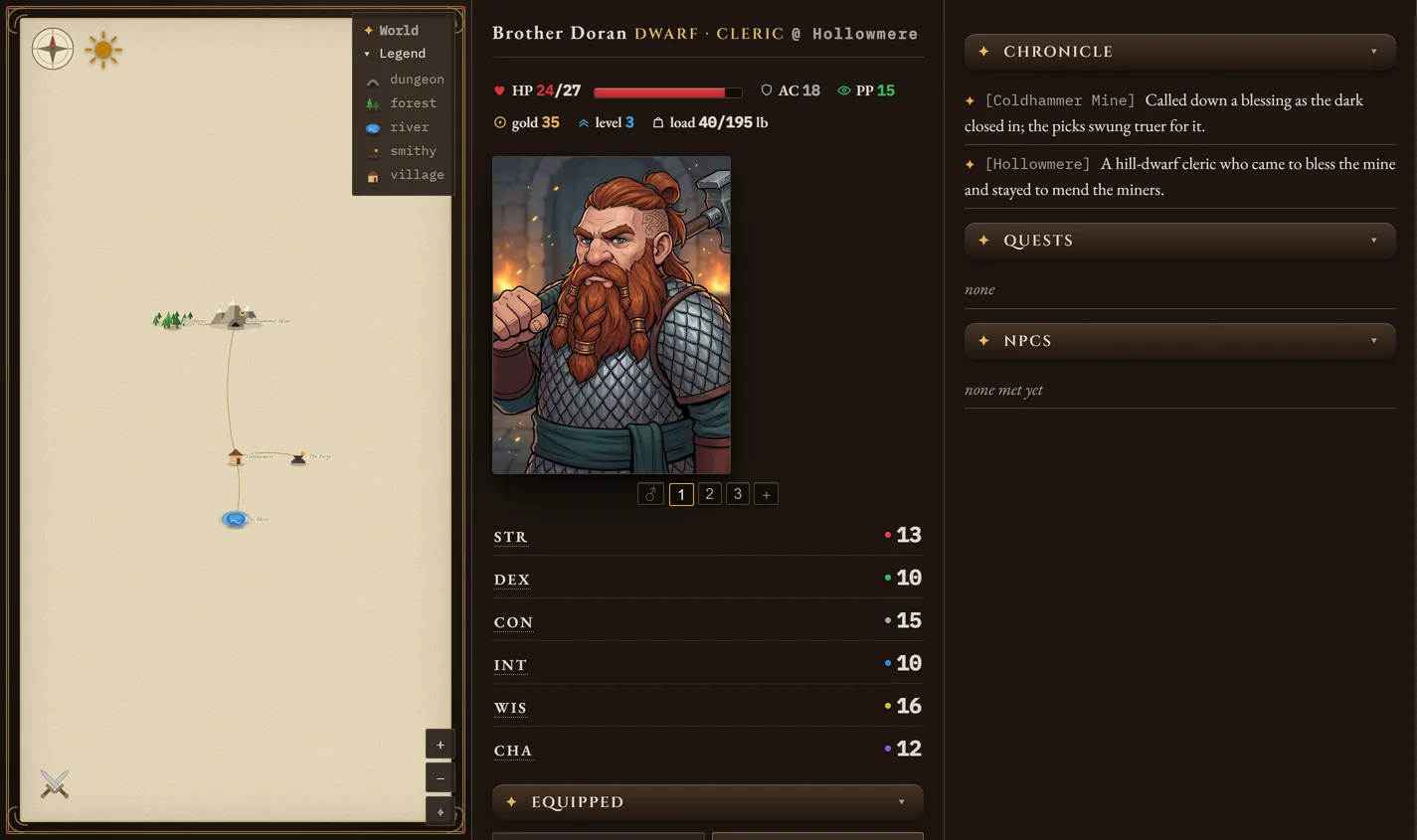
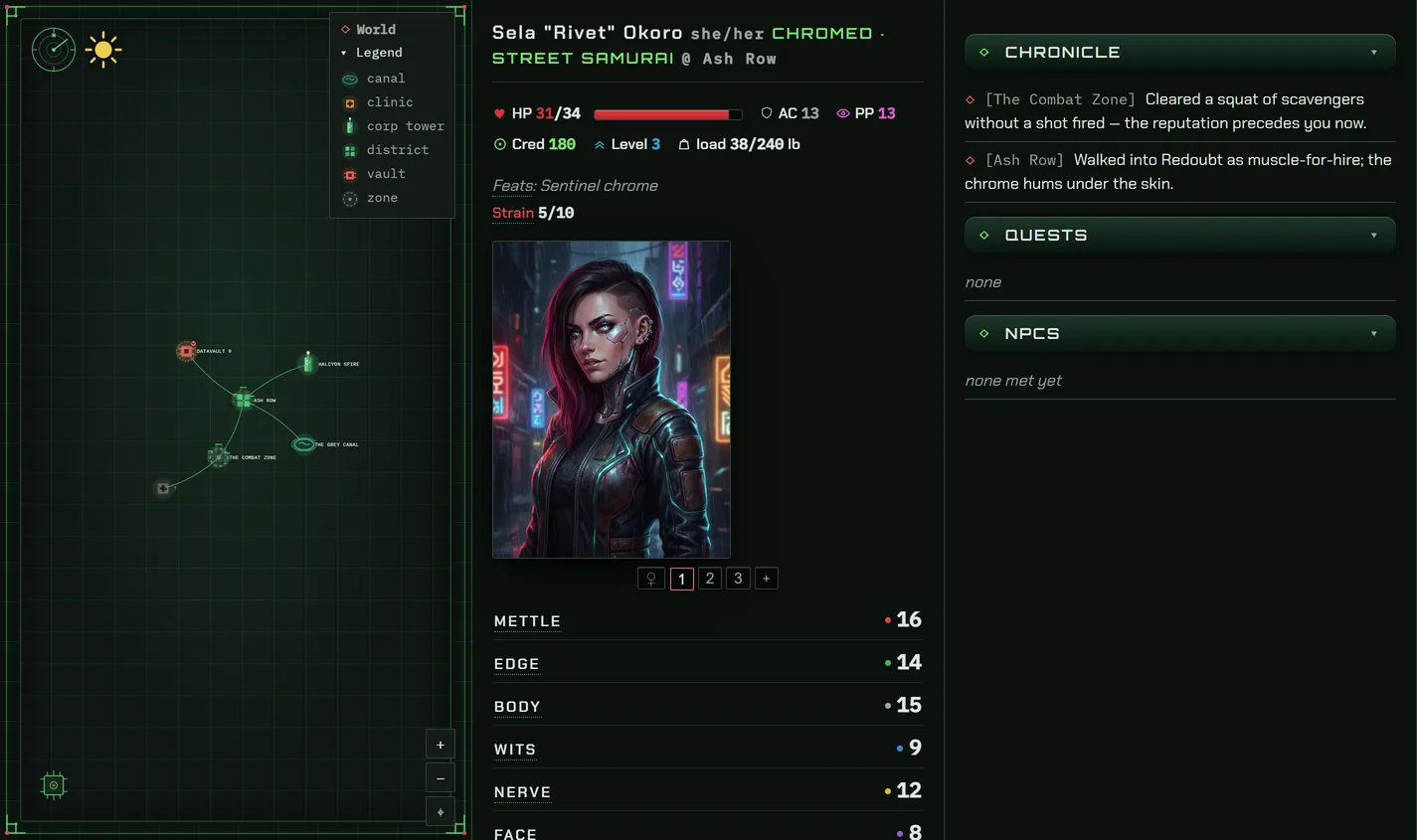
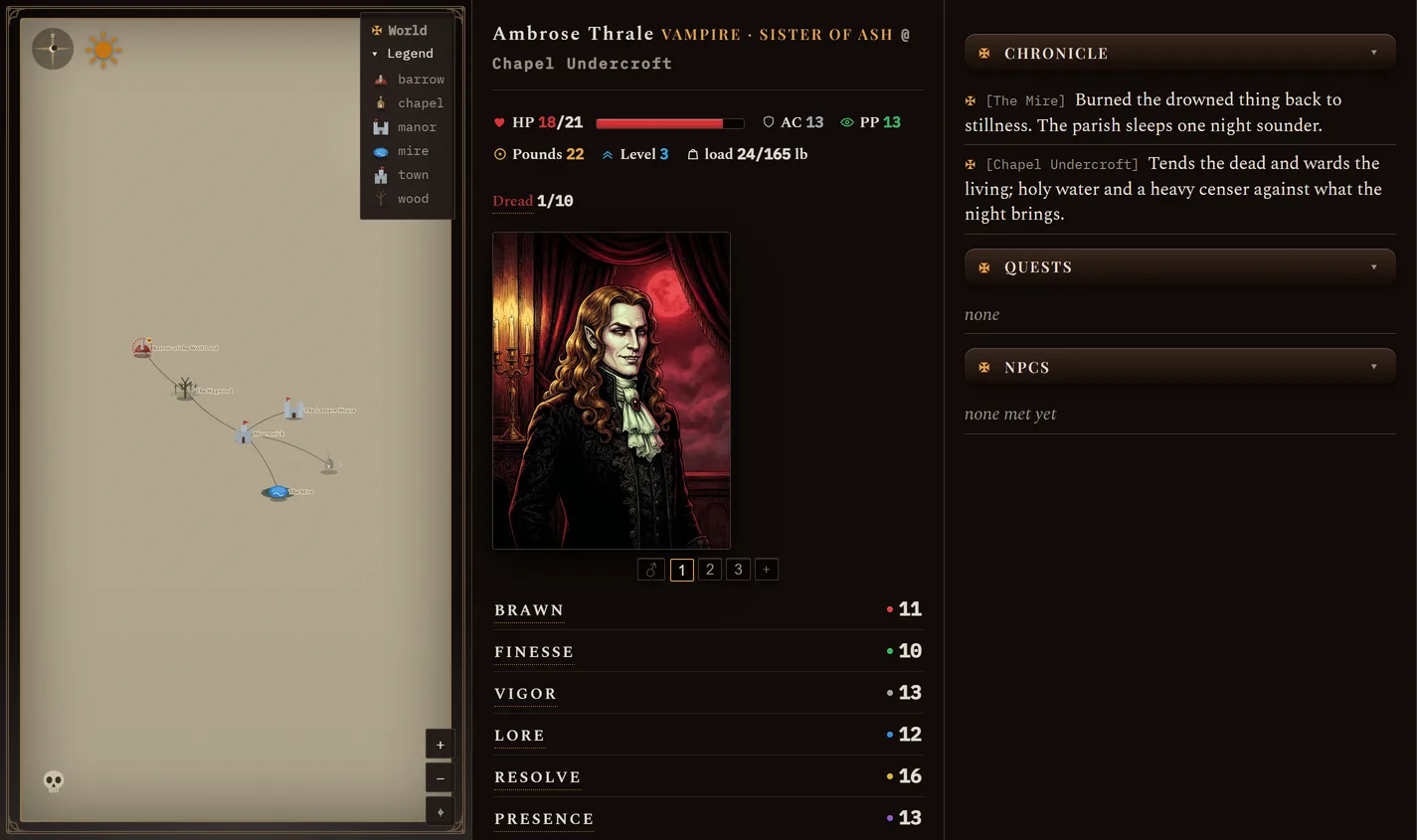
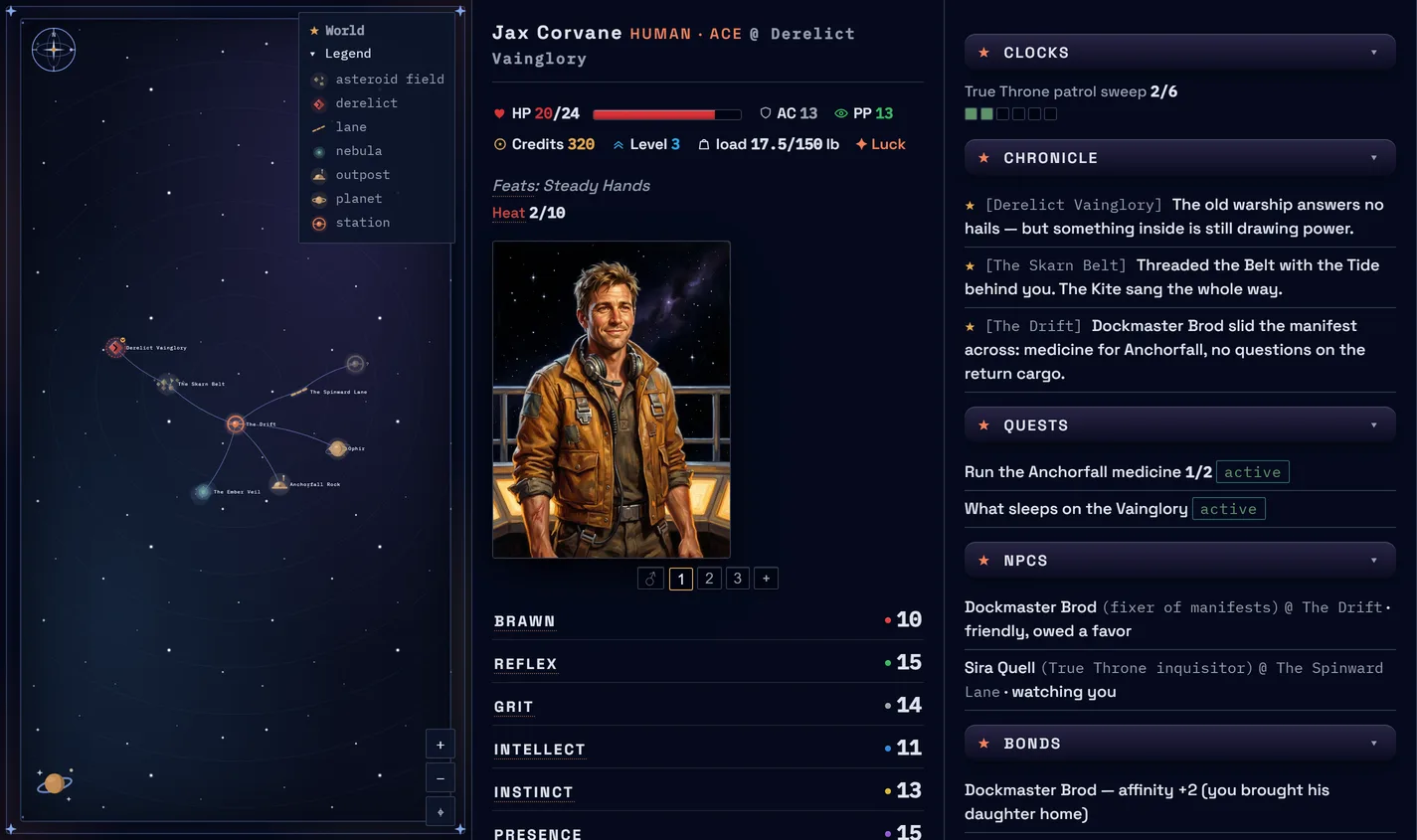
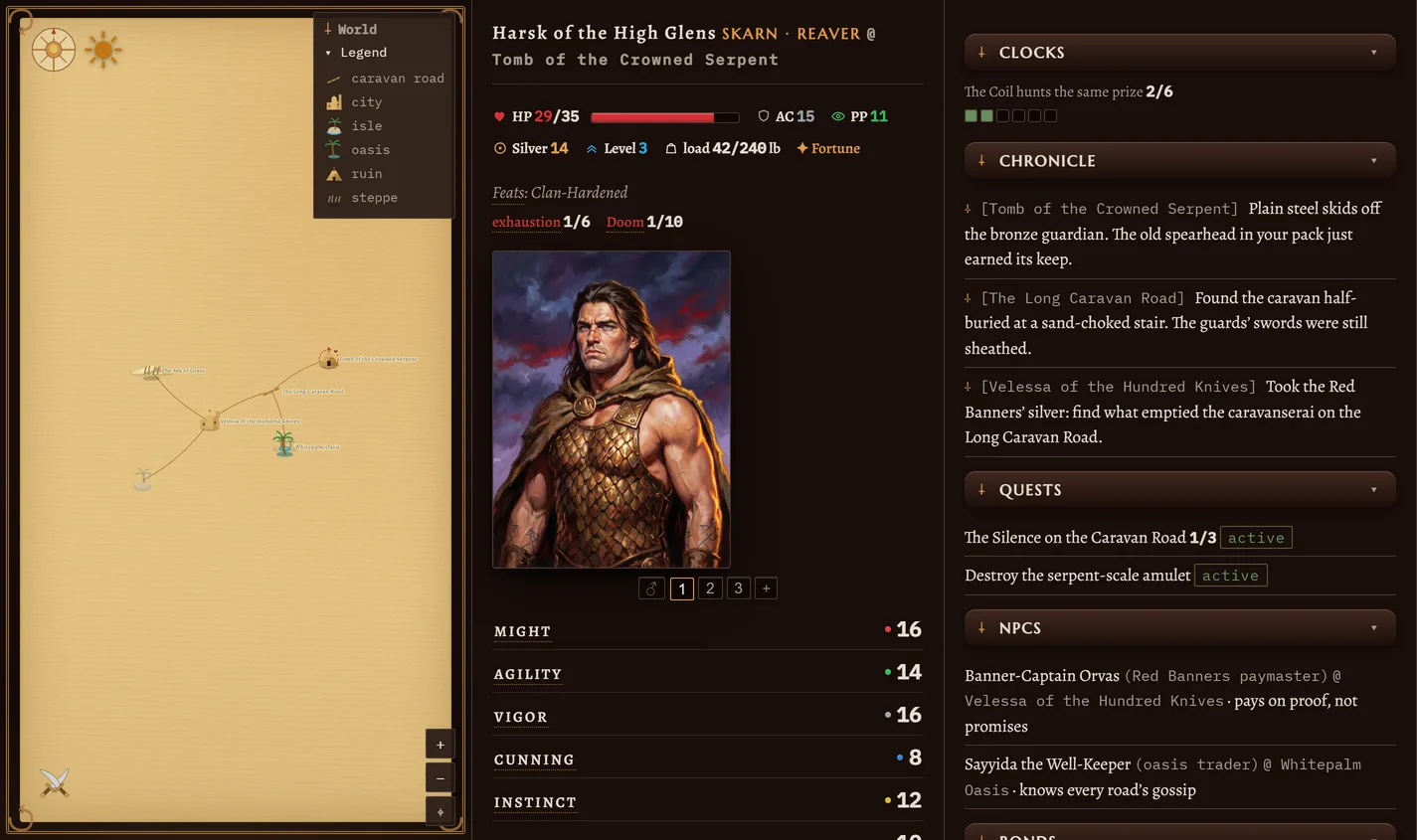
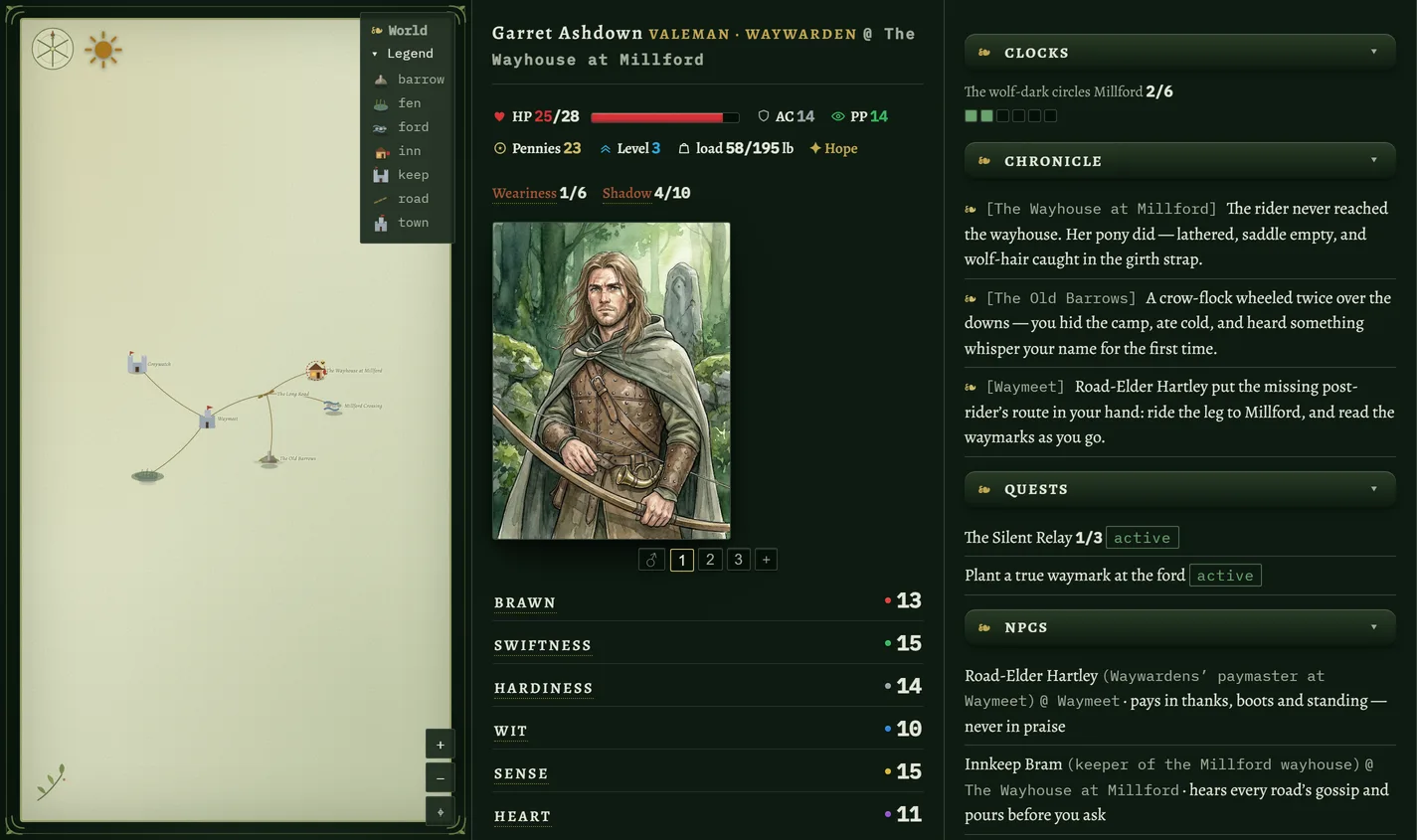
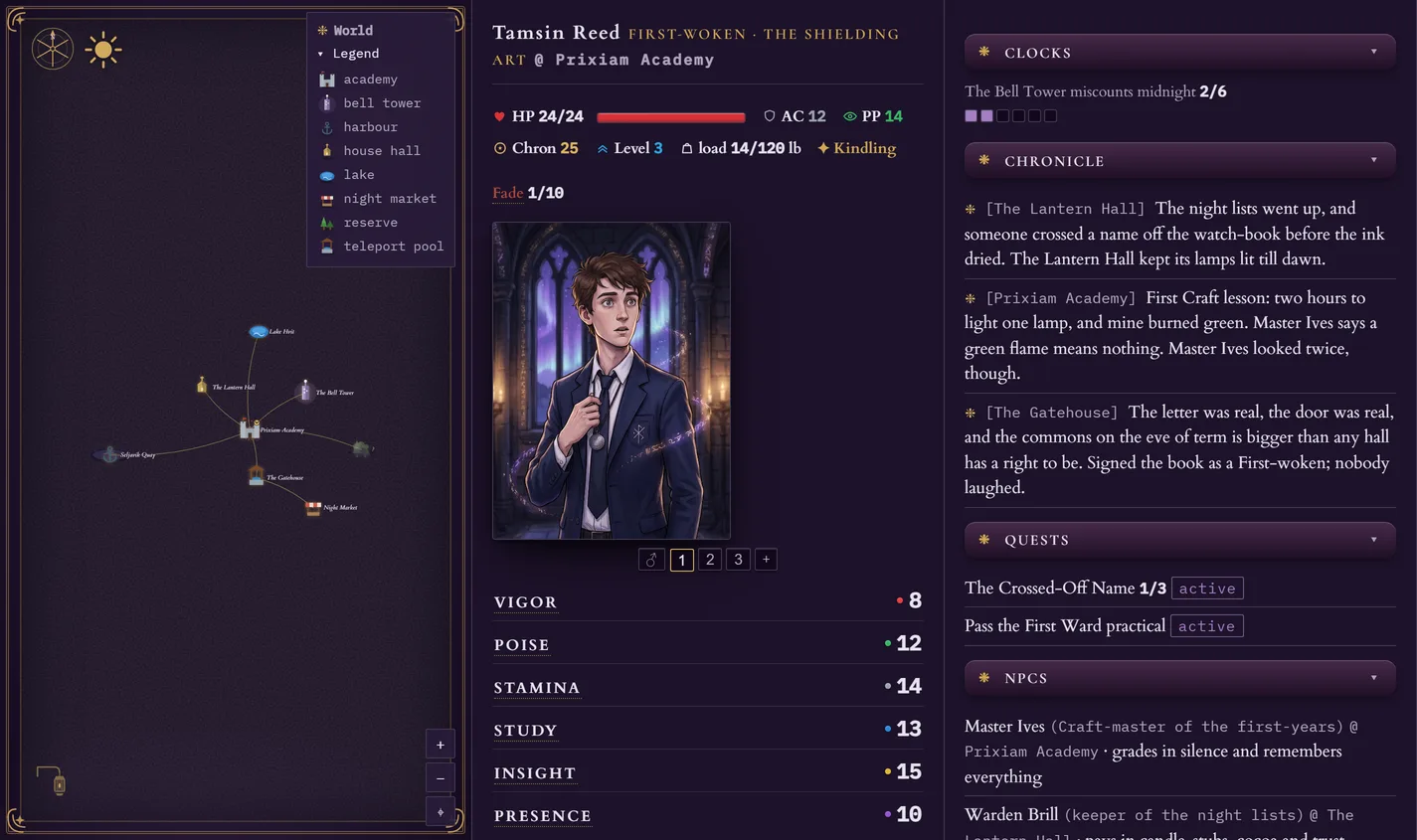
Three parts, side by side — four when you play with friends: on the left the map (where you have been, where you stand now, and the roads between); in the middle your character (hit points, armour, every attribute, the abilities you know, the gear you carry and wear, your money, the treasure you have stored somewhere safe, and the companions who travel at your side); on the right the journal (every roll the engine made, what has happened so far, the people you have met and how they feel about you, and your open quests). Bring friends in and a fourth panel opens for your party.
-
01
The character sheet
Your hero’s numbers, all in one place: health (HP), armour (AC), goldsilvercredspoundscreditspennieschronsSeed, your skills, your abilities and the items in your bag. The engine keeps these honest, so what it shows is always true. -
02
The map
Where you are in the world, drawn as you explore it. The world is not laid out in advance — the gamemaster invents each place as you reach it, and the engine pins it to the map, with your own marker showing exactly where you stand. Somewhere you have only heard of goes on it by name; somewhere you have only glimpsed goes on it under a question mark, and walking there is what tells you what it was — or the chart you buy off a river pilot, which names it without the walk. -
03
The journal
A diary the game writes for you: the big moments, the quests you are on, the people you have met. Put the game down for a week and pick the thread straight back up.
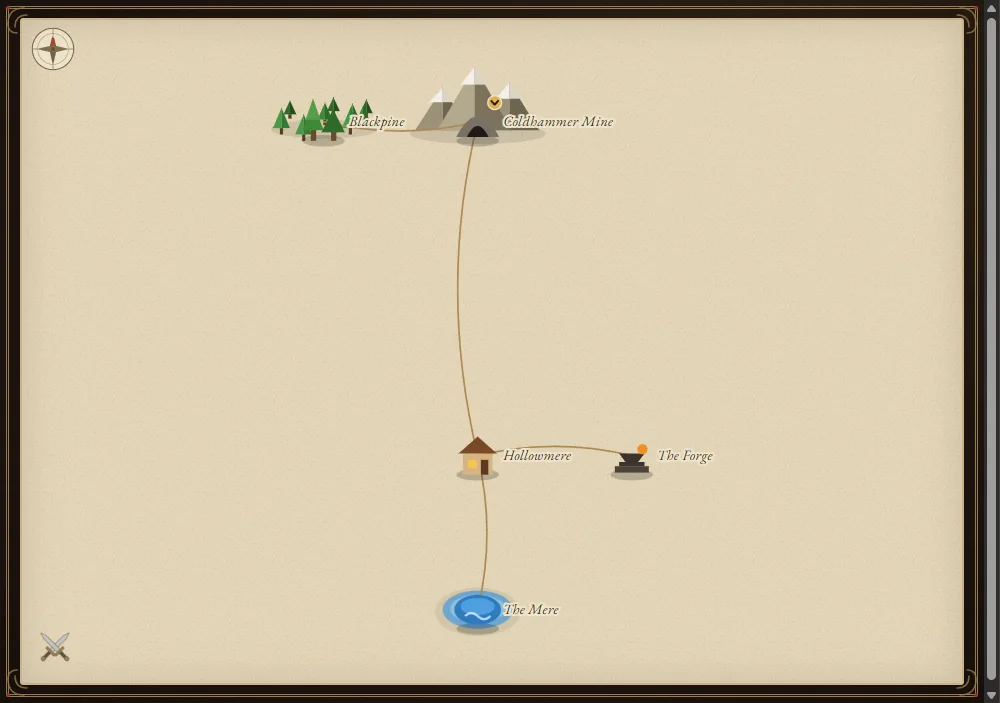
The map up close — reach a place and it pins itself and links back to where you came from, and you can travel back to it anytime; something spotted but not yet reached waits under a question mark that keeps its name until you get there, or until a bought chart gives it away.
As you go, the viewer also fills in your companions, quests and any conditions on your hero, so everything the engine is tracking stays in plain sight.
Starting over
Want a fresh start? Or a whole new world?
You can keep several stories and return to them from your account. Within an AI app you have already connected, starting another campaign needs no new connector. Your plan determines how many campaigns you can create and keep.
-
01
Open a new story
Build a character, save it to your account, then choose Start a campaign beside it on the dashboard. Or tell your connected AI “Start a new game” and create the character together. Free includes three campaigns in total, shared across the free worlds. Creating a fourth requires Premium; deleting or archiving an earlier game does not restore that allowance. Reaching the cap does not remove an existing game. Premium has no limit on campaign creation, with 10 campaigns kept at a time. -
02
Pick a world
Each game can be a different world — pick it in the builder, or tell the gamemaster which one when you start: classic fantasy (weapons and spells), Serpent Throne (sword and sorcery), Neon Wake (neon cyberpunk), Mournwick (gothic horror), Starfall (space adventure), Feralia (post-apocalyptic survival) — and on Premium, The Long Road (the high-fantasy journey) and The Arcanum (the hidden academies of magic). Browse each world's starting locations to find the story you want. -
03
Switch back any time
Say “List my games” or ask the AI to load a campaign by name. You can also manage saved games on your dashboard and export a copy to keep. Free games you stop opening can be archived after about 30 days and removed after about 90; opening them keeps them active. Premium removes that inactivity expiry. On Premium, deleting a saved game makes room within the 10 kept campaigns. On Free, deleting never restores the lifetime creation allowance.
Save and undo
The game saves itself. Going back is the part that costs.
Completed game actions are saved by lorewend. The AI records important story beats in the journal, creating checkpoints you can return to. A saved checkpoint restores the campaign as it stood then; it does not recover text that never reached the game. Going back is a deliberate choice: every rewind spends a scarce token held at that checkpoint and discards later progress. Confirm the target and who pays before the AI restores it.
-
01
Your progress is recorded
Game actions update your saved character and world. When the AI records a story beat, lorewend also keeps a checkpoint of the campaign. Your hero, map, quests and journal are part of that saved state. -
02
Choose an available checkpoint
Ask the gamemaster take me back to before the bridge. It looks for a matching saved checkpoint; confirm where it would take you before proceeding. A rewind restores that checkpoint and discards later progress. It costs one rewind token, every time, including when no fight is being undone. -
03
Resume or rewind?
A rewind burns a rewind token: a scarce consumable you may carry no more than three of. Loading your current saved campaign continues where its records left off; it is not a rewind and does not spend that token. Your account also has a separate backup page: restoring a backup replaces the campaign with that snapshot, so read its confirmation carefully. -
04
Falling is not dying
You will rarely need it for death, because dropping to 0 does not kill you: the fight is lost and you come to at 1 hit point, somewhere worse off — robbed, captured, dragged out by someone who wanted something. The cost lands in the story, not on a game-over screen.
Free and Premium access, by world
What you get
What Free and Premium include.
- ✦Four classic races — Human, Elf, Dwarf, Halfling
- ✦Elf lineages — Drow, Wood, High, each with its own flavour
- ✦Every class, single-class — the full 5e SRD core, with two subclasses each (not the usual one)
- ✦Real combat, rests, spell slots, a living map with fog-of-war
- ✦Five roles — Reaver, Thief, Sellsword, Corsair, Tracker
- ✦Four cultures — Skarn, Averran, Velessi, Korvath
- ✦The Doom meter — sorcery priced, never slotted; the Spree spends your silver into legend
- ✦Real combat, gear, ships, a living map with fog-of-war
- ✦Five roles — Street Samurai, Netrunner, Fixer, Hexer, Nomad
- ✦Four lineages — Baseline, Chromed, Ghosted, Reclaimed
- ✦The Strain meter — the toll of cyberware and the Wake
- ✦Real combat, gear, a living map with fog-of-war
- ✦Five roles — Hunter, Alienist, Occultist, Dragoon, Physician
- ✦Four heritages — Commonborn, Wretched, Highborn, Foreigner
- ✦The Dread meter — and monster weaknesses you must find
- ✦Real combat, gear, a living map with fog-of-war
- ✦Five roles — Gunslinger, Vanguard, Ace, Cracker, Adept
- ✦Four species — Human, Voidborn, Saurian, Korrin
- ✦The Tide — a mystic current with a dark edge, and the Heat that hunts you
- ✦Real combat, gear, ships, a living map with fog-of-war
- ✦The Long Road is Premium whole — its thirteen peoples and seven roles open whole with Premium
- ✦Free play still gives you every other world’s free roster
- ✦Real combat, journeys, a living map with fog-of-war
- ✦The Arcanum is Premium whole — its eight peoples and Six Arts open whole with Premium
- ✦Free play still gives you every other world’s free roster
- ✦Real combat, the school year, a living map with fog-of-war
- ✦Five roles — Yeoman, Gleaner, Barber, Forager, Steader
- ✦Four survivor stocks — Stead-born, Wild-born, City-born, Road-born
- ✦The Numb meter — what the hard calls cost you, counted
- ✦Real combat, salvage, a living map with fog-of-war
- ✦A companion viewer — live map, character sheet, journal
- ✦A woven backstory drawn for every character
- ✦Three campaigns in total, across all worlds
- ✦Five exotic races — Dragonborn, Tiefling, Goliath, Orc, GnomePremium
- ✦Half-Elf & Half-OrcPremium
- ✦Engine-enforced multiclassing, every 5e prerequisite checkedPremium
- ✦Five more roles — Occultist (the dark path), Pit-Fighter, Assassin, Tomb-Breaker, Caravan MasterPremium
- ✦Six more cultures — Hrimvar, Qeshite, Vaskari, Krael, Vhal, MbeziPremium
- ✦Engine-enforced multiclassing, every prerequisite checkedPremium
- ✦Five more roles — Wrench, Channeler, Bruiser, Medtech, AgentPremium
- ✦Four more lineages — Touched, Engineered, Synthetic, BondedPremium
- ✦Engine-enforced multiclassing, every prerequisite checkedPremium
- ✦Five more roles — Sister of Ash, Gravewright, Revenant, Medium, MesmeristPremium
- ✦Seven more heritages — Touched to Halfblood, plus the monstrous threePremium
- ✦Start AS the monster — Vampire, Werewolf, Hollowed — the hunted lifePremium
- ✦Engine-enforced multiclassing, every prerequisite checkedPremium
- ✦Five more roles — Sentinel, Oracle, Operator, Sawbones, WardenPremium
- ✦Four more species — Synthetic, Lumen, Chitin, UpliftPremium
- ✦Engine-enforced multiclassing, every prerequisite checkedPremium
- ✦The whole world, open — all thirteen peoples, all seven roles, every teachingPremium
- ✦The journey, Hope and the Shadow — high fantasy of the road, made for PremiumPremium
- ✦The whole world, open — all eight peoples, every Art and Teaching, the second-Art double coursePremium
- ✦The academies, the ink and the Fade — the hidden world of the Craft, made for PremiumPremium
- ✦Five more roles — Culler, Chemist, Undertaker, Outwalker, HoundmasterPremium
- ✦Three more stocks — Deep-born, Salt-born, Glow-bornPremium
- ✦Engine-enforced multiclassing, every prerequisite checkedPremium
- ✦As many campaigns as you like — 10 kept at a timePremium
- ✦Multiplayer — invite friends into your game (they join free in the six free worlds)Premium
Lapse anytime — your saves wait for you, and opening a game keeps it.